Scada Studio

Operator screens and alarms, in the browser

Screens ✦ Alarms ✦ Logic ✦ Station

A builder for operator screens that runs in a browser and ships its own station. Draw the screens from the components, write the alarms as a table the station raises day and night, add the logic as a block diagram, and let the station run it all on the plant network - Modbus TCP and RTU, Siemens S7, EtherNet/IP for Allen-Bradley, OPC UA client and server, MQTT, HTTP. Operators open a URL: no client to install, and no licence per screen.

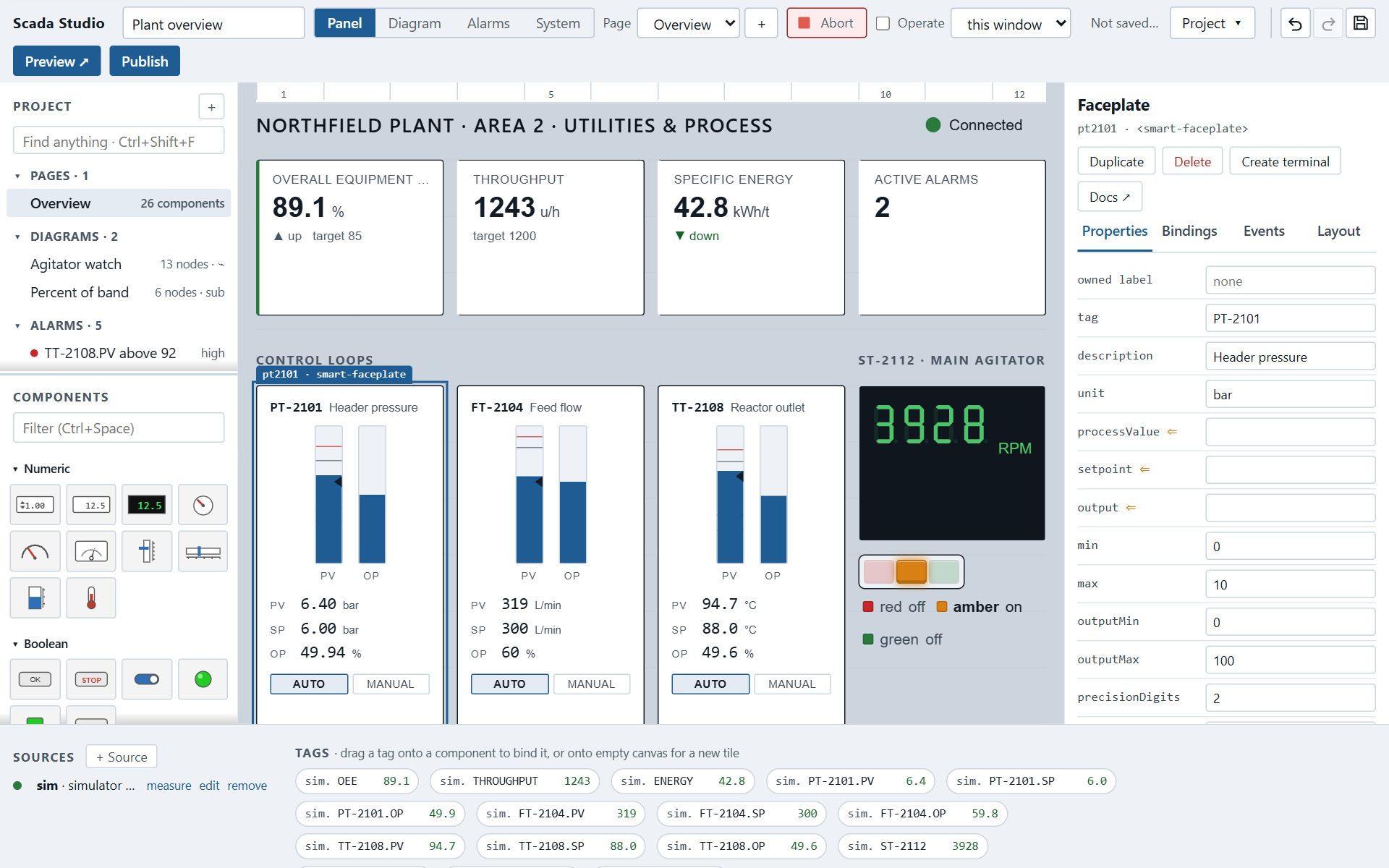
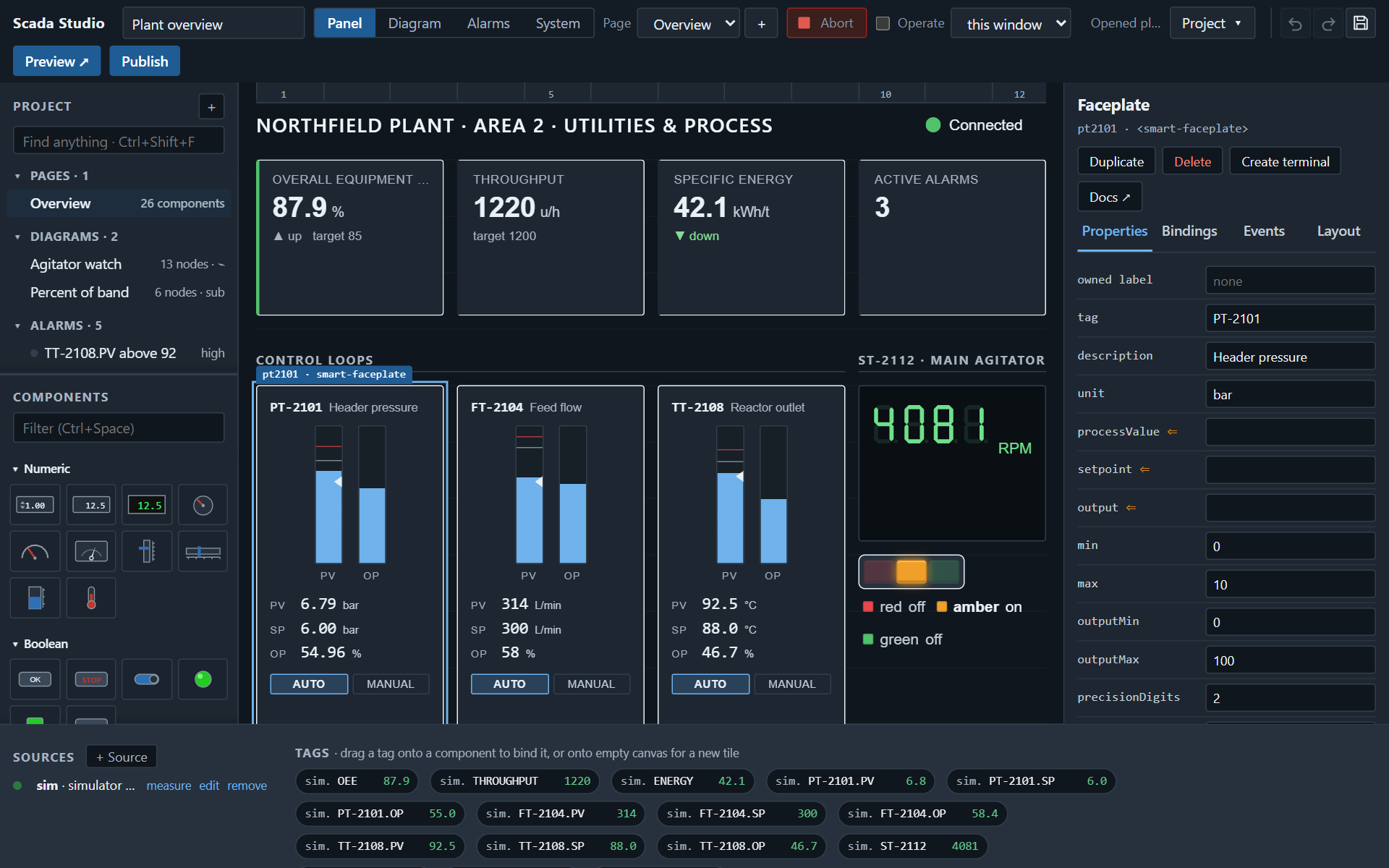
Scada Studio building the plant overview sample: the component palette, the screen with KPI tiles, faceplates, a seven-segment readout and a stack light, and the properties of the selected faceplateScada Studio building the plant overview sample: the component palette, the screen with KPI tiles, faceplates, a seven-segment readout and a stack light, and the properties of the selected faceplate
Four parts

Screens, alarms, logic, station

The screens

designer

Components on a grid, bound to tags by drag: faceplates, seven-segment readouts, strip charts, alarm banners, stack lights, every component of the library. A request from an operator - a setpoint, a command - goes to the plant and comes back confirmed. Pages, templates, the Bench theme, two ISA-101 themes and the default.

The alarms

ISA-18.2

A table, one condition on one tag per row: above or below a limit, on, off, or not delivering, with a deadband, a delay, a priority and the words the operator reads. The station raises them whether or not a screen is open, an operator acknowledges or shelves them on any screen, and each raise, clear and acknowledgement is kept with who did it. A spreadsheet of them comes in as CSV.

The logic

dataflow

The program behind the panel: nodes with typed terminals, one value per wire, run by data. While and For loops as frames with feedback between iterations, a Case frame, subdiagrams called as nodes, records, front-panel terminals. Message flows for what reacts to events. It runs where you put it: with the page, or on the agent.

The agent

Node.js

A small server for the station PC, no dependencies: OPC UA client and server, Modbus TCP and RTU, Siemens S7, EtherNet/IP for Allen-Bradley Logix, MQTT, HTTP; for a bench, SCPI over TCP and serial and VISA (VXI-11, socket, serial, USB and GPIB through the library), in beta until a path has met a device; a simulator. One WebSocket for the tags, the published apps, the diagrams marked for it, CSV logs, users and roles managed from the designer, TLS, running at boot.

How it goes

From nothing to an app on the station

1. Open the designer

It runs from this site, or from the station's own address. It opens on a plant overview whose five alarms are evaluated live, beside a gallery of templates to start from instead: alarm management, line operations, an andon board, a KPI wall, safety interlocks, a meter logger, a signal generator.

2. Connect and draw

Add a source - a simulator, a WebSocket, an HTTP endpoint, or the station with its PLCs - and its tags appear in the bar. Drag them onto components, and onto the Alarms table for the alarms. What needs logic goes on a diagram: the screen's terminals, a Tag, a Multiply, a loop, wired by their colours.

3. Run, then publish

The designer runs the screens and evaluates the alarms as you build them. Publish sends the project to the station, which serves the app, raises its alarms and runs its diagrams around the clock - or download it as a zip for any web server.

Facts

What it is, and is not

Local first

No cloud, no account, no database. A project is one JSON file, readable and diffable. The designer is static files; the agent is Node.js 18 or later.

Not a PLC tool

Scada Studio builds the screens and the logic around them and talks to the equipment through the agent. It is not a PLC programming environment and not a historian, and it does not read other tools' file formats.

Licensing and security

Evaluation runs with a watermark; a licence token from Smart UI removes it. What the agent stores, what leaves the station, and how the roles work are written down.

Download

Get it, check it, run it

The download

next release

One zip with the designer, the runtime, the samples, the documentation, the agent and the component package - nothing to install beyond Node.js 18 for the agent. Published with the next release.

Verify it

SHA-256 · signature

Next to the zip: its SHA-256, its signature and the public key - how to check them. The bill of materials is sbom.cdx.json (CycloneDX).

Try it first

evaluation

Without a licence everything works and says so. The editions: a developer seat and a station licence, perpetual, or Enterprise for a site; a 30-day trial token for all of it. Your first bench in fifteen minutes.

Before you buy

What a security review and a bench ask

Security

IEC 62443-4-1 · CRA

The fence around the agent's port, the code policy, the hash-chained audit trail, how the product is developed, the disclosure policy with response times, supported versions - on one page: security. Users from your identity provider through OpenID Connect.

Verified hardware

path by path

Which instrument and PLC paths met a device on a bench, which the emulator, which neither - said plainly, with the device records: verified hardware. A beta path is called beta.

Measured

performance

How many samples a second the agent delivers to how many clients over how many tags, what a write costs, what it takes of the machine - measured by a script anyone can run, with the machine named: performance.

Accessibility

WCAG 2.2 AA · measured

What the designer, a published app and the documentation support of WCAG 2.2 level AA, measured by a script rather than claimed, with the figures and what is not supported: accessibility.

Where it goes next

roadmap

What is planned and what is not, by release line, so a buyer knows what the maintenance year brings: the roadmap. Every release is a dated entry in the release notes.