SvGrid Studio: From a Schema to a Running SvelteKit App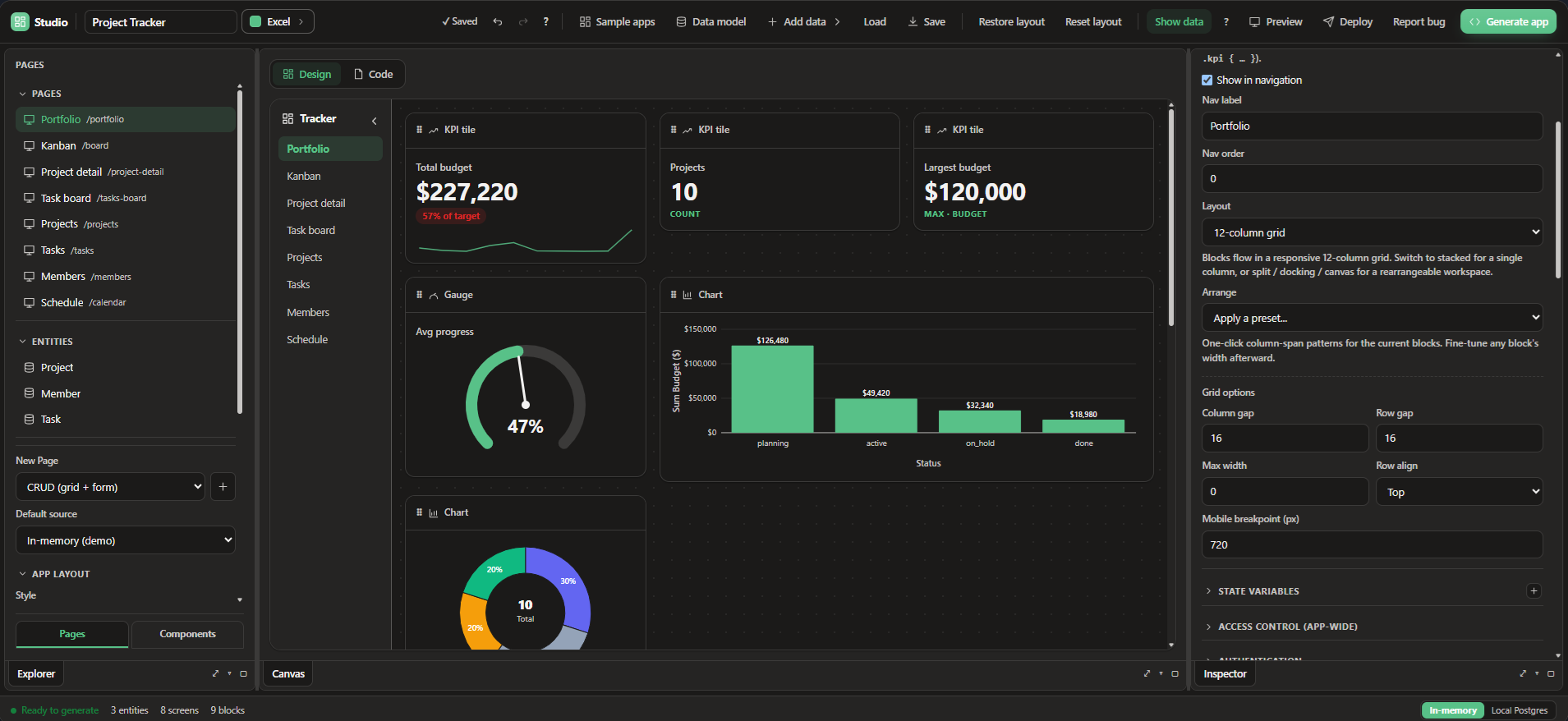 " " A data grid is usually the center of an internal tool, but it is never the whole app. Around it you need forms, detail views, authentication, a real database, and a way to ship the thing. SvGrid is the grid at the middle of that picture. SvGrid Studio is how you build the rest of the app around it, in SvelteKit, from a schema. What SvGrid Studio isSvGrid Studio is a data-app layer for SvelteKit. You describe your entities, pick a data source, and it generates a running application: grid screens with sorting, filtering, and inline editing, edit panels, master and detail views, dashboards, and navigation, all built on the same grid you already know. It is part visual designer, part code generator, and the output is a real SvelteKit project you own, not a black box on someone else's platform. Learn more: https://svgrid.com/Schema firstYou start by describing your data. Conceptually, an entity looks like this: From that, Studio scaffolds a full CRUD screen: a grid to browse and edit rows, a form to create and update them, and the routing to tie it together. Add more entities and you get a navigable app, not a pile of disconnected pages. Real data, not a demo sandboxStudio is built to connect to the data you actually have. Out of the box it supports:
You can start in memory to shape the app, then point the same schema at a real database when you are ready. You own the generated codeThis is the part that matters most. Studio does not lock you in. It emits a standard SvelteKit application: routes, components, a typed data layer, and configuration you can read, edit, and commit to your own repository. If you outgrow the designer, you keep the code and keep going. The grid screens are just SvGrid, so everything you can do with the grid by hand, you can do in a generated app. An AI can build it for youSvGrid ships an MCP (Model Context Protocol) server, and Studio exposes its project model through it. That means an AI assistant like Claude or Cursor can build and edit the same validated app model the visual designer uses: add entities, wire a data source, set up auth, and generate the app, with every change validated so it cannot produce a broken project. You describe the app you want, and the agent assembles it against real, version-pinned APIs. Production concerns, handledAn internal tool is only useful once it is deployed and locked down. Studio includes:
Try itScaffold a Studio app with a single command: Read the SvGrid Studio documentation for the full walkthrough, or browse the live demos to see the grid and the app screens it powers. If you already build internal tools on a data grid, Studio turns that grid into a full SvelteKit app without leaving the stack you own.
This entry was posted in Uncategorized. Bookmark the permalink.
|
|