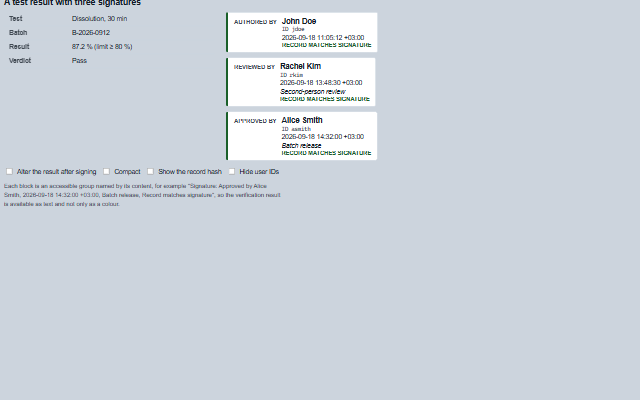
SignatureBlock displays the signature manifestation required by 21 CFR Part 11 §11.50: the meaning of the signature, the printed name of the signer, the date and time of signing with the UTC offset, and the reason if one was given.
When the signed record is also provided, the component compares the record hash in the signature with the record and reports whether the record has changed since it was signed. The signature object is the one produced by the ESignature component.
English, German, French, Spanish, Chinese (locale packs)
In the demo: A test result with three signatures. Open the demo
Quick start
Install the package, load the two stylesheets and the component's module, and put the element on the page. The element below is the first one of the demo. Put the script after the module, in a <script type="module">, so that it runs once the component is defined.
The properties the demo sets, then the next ones; the API page lists all 6 with their types and defaults.
Name
Type, default
Description
signature
object
Sets or retrieves the signature to show, as { userId, userName, meaning, meaningLabel, reason, at, recordHash, id }. null shows 'Not signed'. A meaning other than the six standard ones is shown with its meaningLabel and the localized 'by' form (the byMeaning message). A missing or unreadable at is shown as 'No date and time of signing' or 'Date and time not readable' and sets the date-invalid attribute; at may be an ISO 8601 string, a Date or epoch milliseconds.
record
object
Sets or retrieves the record as it is now. Given, the block verifies the signature against it and says 'Record matches signature' or 'Record altered since signing', or 'Record cannot be checked' when the signature carries no record hash (the verified attribute is then 'unknown'). The record is verified again on every assignment, including the same object assigned again after it was changed in place; a change made in place without assigning the record again is not seen.
showUserId
boolean true
Determines whether the user ID is shown beside the printed name.
showHash
boolean false
Determines whether the record hash is shown, shortened, with the full hash as a tooltip.
compact
boolean false
Determines whether the block is one line instead of a stack.
showReason
boolean true
Determines whether the reason is shown.
Methods
Method
Description
text() returns string
Returns the manifestation as one line, for example 'Approved by Alice Smith, 2026-09-18 14:32:00 +03:00, Batch release', for a printout or a log. It is built from what the block shows: a custom meaning in its own words, and a missing date said in words.
verified() returns boolean
Returns whether the record given still matches the signature: true or false, or null when no record or no signature is given, or when the signature carries no record hash and so cannot be checked.
In Angular, React, Vue and Blazor
The same element with its wrapper. Each page has the installation steps and the full demo in that framework.
The SignatureBlock is static text: the meaning, the printed name, the date and time with the UTC offset, and the reason. It has no interaction. The manifestation is one readable sentence, and the verification result (record unchanged, or record altered since signing) is a word in that sentence rather than only a colour.
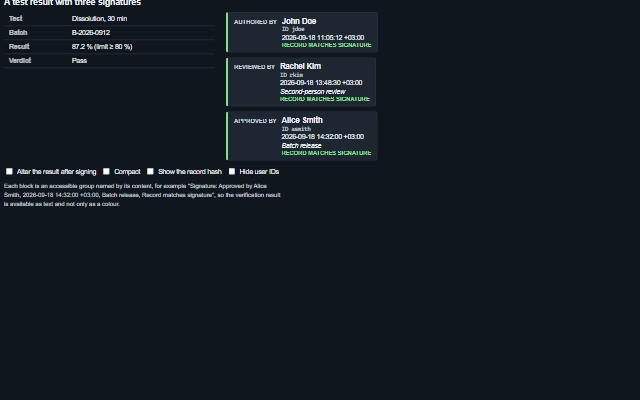
The component follows the theme on the page: the default theme, or the ISA-101 light and dark themes that ship with the package. It declares 6 CSS variables of its own, among them --smart-sigblock-border, --smart-sigblock-background, --smart-sigblock-ok-text, --smart-sigblock-error-text. The CSS page lists them; the themes guide covers the tokens every component shares.