



Grid Users
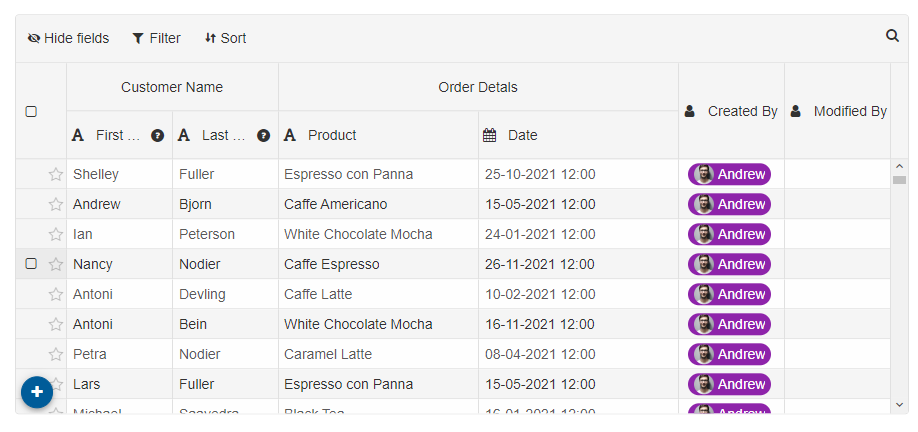
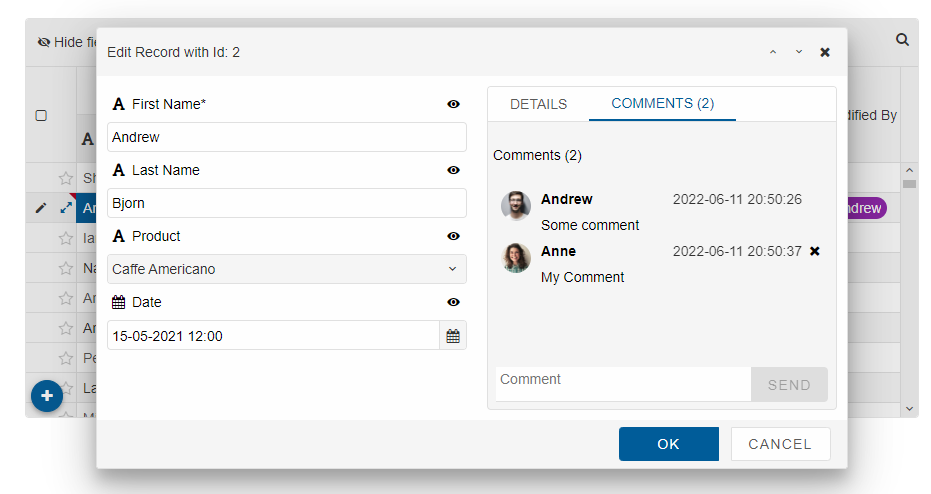
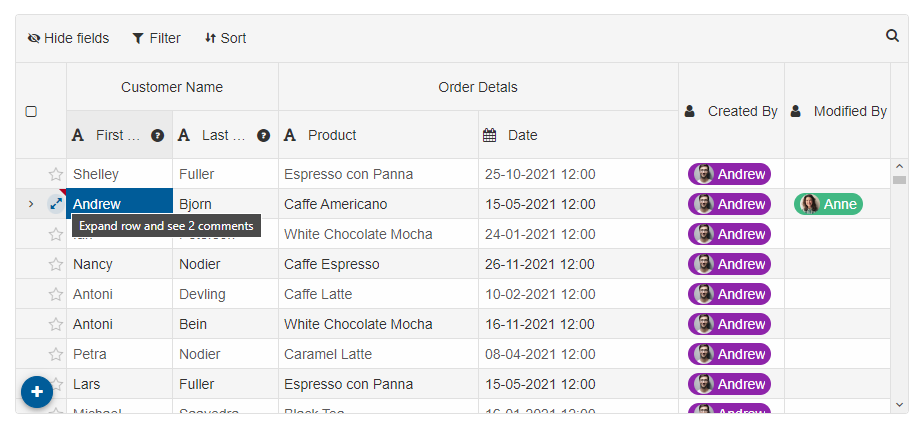
The Grid component has built-in dialogs for 'comments', 'history' of edits and support for multiple users. For example, if you create a web app with a Grid, you may want to track which user edited something or enable comments between the users. In order to handle such use-case scenarios, theusers and currentUser properties are available.
Example:
currentUser: 0,
users: [
	{ id: 0, color: '#8E24AA', name: 'Andrew', image: '../../images/people/andrew.png' },
	{ id: 1, color: '#41B883', name: 'Anne', image: '../../images/people/anne.png' },
	{ id: 2, color: '#53B9E6', name: 'Janet', image: '../../images/people/janet.png' },
	{ id: 3, color: '#FFCD42', name: 'John', image: '../../images/people/john.png' },
	{ id: 4, color: '#DD5347', name: 'Laura', image: '../../images/people/laura.png' }
]
See example with multiple users: https://www.htmlelements.com/demos/grid/users/.
Dialog with comments section
After doing some edits in the Grid
For AI tooling
Developer Quick Reference
Topic: grid-users Component: Grid Framework: JavaScript
Main methods: (none detected)
Common config keys: (none detected)
Implementation Notes
Compatibility: Modern browsers / Web Components API access pattern: const component = document.querySelector(...) + component.method()
Lifecycle guidance: Initialize configuration first, then invoke imperative API when element is available in DOM.
Common pitfalls:
- Calling methods before element initialization.
- Reassigning large configuration partially without understanding merge behavior.
- Missing required module script import for component type.
Validation checklist:
- Ensure module scripts and CSS are loaded once.
- Keep data schema aligned with columns/series definitions.
- Verify method calls target initialized component instance.