



Scheduler for React
React version of this topic (compatible with React 19+). Keep the same configuration logic from JavaScript and pass it as component props.
What this topic covers: practical setup, the framework-specific API access pattern, and copy-adapt guidance for the examples in this page.
import React, { useMemo, useRef } from 'react';
import { Scheduler } from 'smart-webcomponents-react/scheduler';
import 'smart-webcomponents-react/source/styles/smart.default.css';

export default function App() {
  const componentRef = useRef(null);
  const componentProps = useMemo(() => ({
    // Copy this topic's JavaScript configuration here.
  }), []);

  return <Scheduler ref={componentRef} {...componentProps}></Scheduler>;
}
Use componentRef.current for API methods in this topic.
Build your web apps using Smart Custom Elements
Smart.Scheduler - Time Zones
Time Zones
By default the Smart.Scheduler component displays dates in local time zone. However the Scheduler can have it's default time zone changed or even better, it can display multiple time zones at once.
The timeZone allows to change the default time zone of the Smart.Scheduler dates. The property accepts a string that must be a valid time zone name. The available time zones can be found in the API of the element on the website. Here's the full list of the ids of all supported time zones:
- Local
- Dateline Standard Time
- UTC-11
- Hawaiteratoran Standard Time
- Alaskan Standard Time
- Pacific Standard Time (Mexico)
- Pacific Standard Time
- US Mountain Standard Time
- Mountain Standard Time (Mexico)
- Mountain Standard Time
- Central Standard Time
- Central America Standard Time
- Canada Central Standard Time
- Central Standard Time (Mexico)
- SA Pacific Standard Time
- Eastern Standard Time
- US Eastern Standard Time
- Venezuela Standard Time
- Atlantic Standard Time
- Paraguay Standard Time
- Central Brazilian Standard Time
- Pacific SA Standard Time
- SA Western Standard Time
- Newfoundland Standard Time
- SA Eastern Standard Time
- Argentina Standard Time
- E. South America Standard Time
- Bahia Standard Time
- Montevideo Standard Time
- Greenland Standard Time
- UTC-02
- Mid-Atlantic Standard Time
- Azores Standard Time
- Cape Verde Standard Time
- Morocco Standard Time
- UTC
- GMT Standard Time
- Greenwich Standard Time
- Central European Standard Time
- Namibia Standard Time
- W. Central Africa Standard Time
- W. Europe Standard Time
- Central Europe Standard Time
- Romance Standard Time
- FLE Standard Time
- South Africa Standard Time
- Turkey Standard Time
- GTB Standard Time
- Libya Standard Time
- E. Europe Standard Time
- Jordan Standard Time
- Middle East Standard Time
- Egypt Standard Time
- Syria Standard Time
- Israel Standard Time
- Arab Standard Time
- E. Africa Standard Time
- Arabic Standard Time
- Kaliningrad Standard Time
- Iran Standard Time
- Mauritius Standard Time
- Georgian Standard Time
- Caucasus Standard Time
- Arabian Standard Time
- Azerbaijan Standard Time
- Russian Standard Time
- Afghanistan Standard Time
- Pakistan Standard Time
- West Asia Standard Time
- India Standard Time
- Sri Lanka Standard Time
- Nepal Standard Time
- Central Asia Standard Time
- Bangladesh Standard Time
- Ekaterinburg Standard Time
- Myanmar Standard Time
- SE Asia Standard Time
- N. Central Asia Standard Time
- Ulaanbaatar Standard Time
- China Standard Time
- Singapore Standard Time
- North Asia Standard Time
- Taipei Standard Time
- W. Australia Standard Time
- Korea Standard Time
- North Asia East Standard Time
- Tokyo Standard Time
- AUS Central Standard Time
- Cen. Australia Standard Time
- West Pacific Standard Time
- Tasmania Standard Time
- E. Australia Standard Time
- US Eastern Standard Time
- Yakutsk Standard Time
- Vladivostok Standard Time
- Central Pacific Standard Time
- Magadan Standard Time
- Kamchatka Standard Time
- Fiji Standard Time
- New Zealand Standard Time
- UTC+12
- Tonga Standard Time
- Samoa Standard Time
Here's how to change the default time zone of the Smart.Scheduler:
//A simple array data with events
const today = new Date(),
    currentYear = today.getFullYear(), currentMonth = today.getMonth(),
    data = [
    {
            label: 'Google AdWords Strategy',
            dateStart: new Date(currentYear, currentMonth, 10, 9, 0),
            dateEnd: new Date(currentYear, currentMonth, 11, 10, 30),
            allDay: true,
            backgroundColor: '#EA80FC'
        }, {
            label: 'New Brochures',
            dateStart: new Date(currentYear, currentMonth, 11, 11, 30),
            dateEnd: new Date(currentYear, currentMonth, 12, 14, 15),
            backgroundColor: '#FF9E80'
        }, {
            label: 'Brochure Design Review',
            dateStart: new Date(currentYear, currentMonth, 12, 13, 15),
            dateEnd: new Date(currentYear, currentMonth, 14, 16, 15),
            backgroundColor: '#039BE5'
        },
        ...
];

const componentProps = useMemo(() => ({
            //Properties
            view: 'week',
            dataSource: data,
            views: ['day', 'week', 'month'],
            hourStart: 9,
            timelineDayScale: 'halfHour',
            timeZone: 'Central America Standard Time'
}), []);
Demo
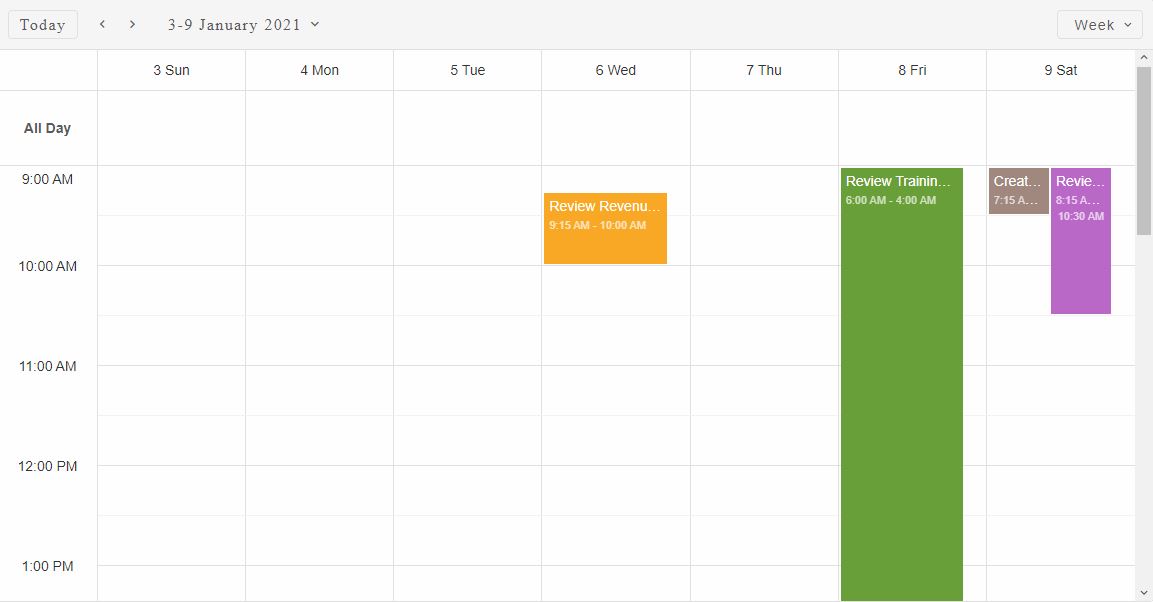
The event's start and end dates are validated agains the new time zone.
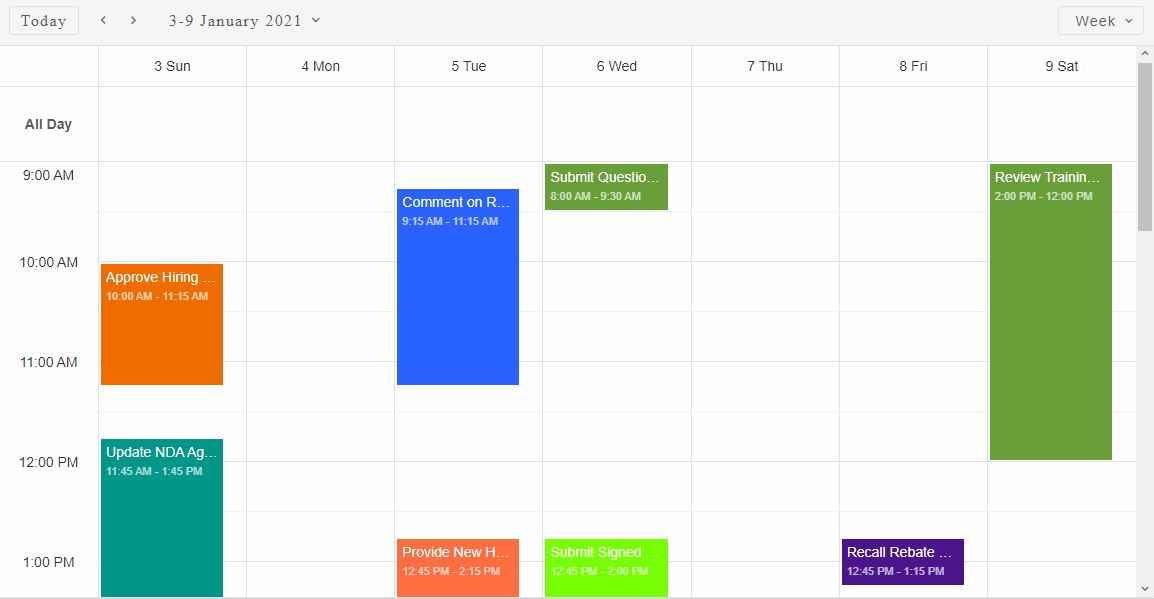
The timeZone property can also be changed dynamically:
const scheduler = componentRef.current;

//Revert back to local time zone
componentRef.current.timeZone = 'local';
Demo
The timeZones property of the Smart.Scheduler allows to define an array of multiple additional time zones to be displayed along with the default. This property allows to view the events in multiple time zones without changing the default time zone.
Here's how to set two additional time zones to be displayed:
const scheduler = componentRef.current;

//Two additional time zones will be displayed
componentRef.current.timeZones = [{ id: 'Central Standard Time', label: 'US/Chicago' }, 'UTC'];
Demo
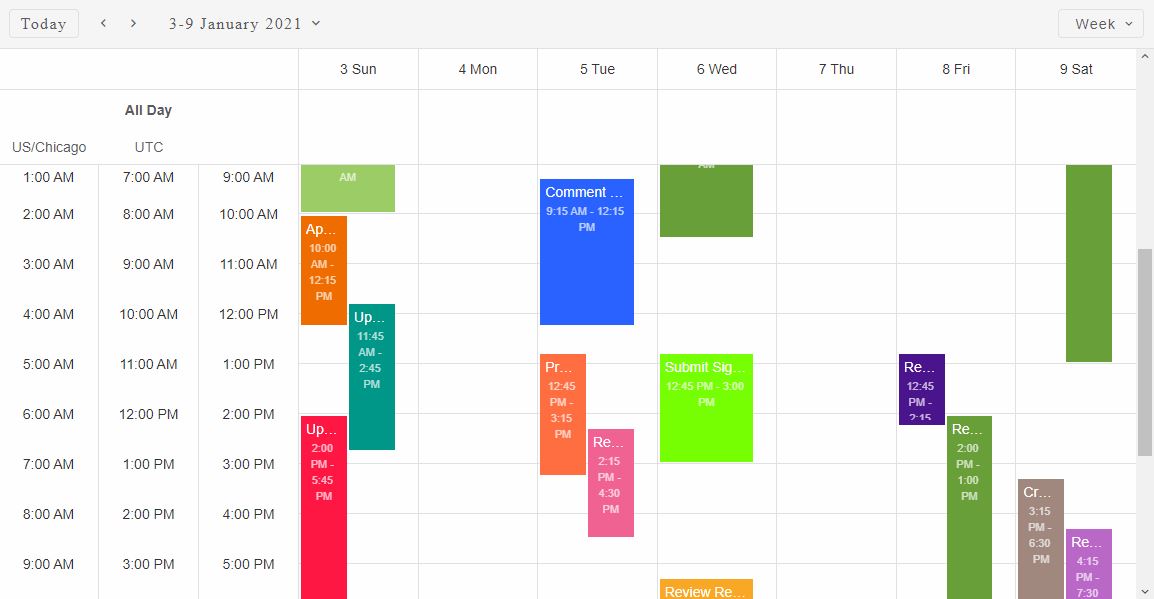
Here we defined two additional time zones to be displayed along with the default. The first one is defined as an object because we want to show a custom label for the time zone. The id of the time zone is 'Pacific SA Standart Time' with the label '(UTC-04:00) Santiago'. The label will be displayed above or next (depending on the view) to the appropriate time zone cells. The other time zone that we defined via the timeZones property is the 'UTC' time zone. Since it's a string it directly references the id of the target time zone and the id will also be used as it's label.
The default time zone does not have a label dispalyed by default.
For AI tooling
Developer Quick Reference
Topic: scheduler-timezones Component: Scheduler Framework: React
Main methods: (none detected)
Common config keys: dataSource, views
Implementation Notes
Compatibility: React 19+ API access pattern: const componentRef = useRef(null) + componentRef.current.method()
Lifecycle guidance: Use useMemo for large config objects and call imperative API through componentRef.current after first render.
Common pitfalls:
- Recreating columns/dataSource objects on every render can reset component state.
- Calling API methods before ref is available causes runtime errors.
- Mixing controlled and imperative updates without sync can lead to stale UI.
Validation checklist:
- Keep config objects memoized when possible.
- Guard API calls with ref existence checks.
- Verify CSS theme import is present once per app.