



Angular Scheduler - Setup
Smart UI for Angular supports both standalone components (bootstrapApplication) and NgModule-based apps (bootstrapModule(AppModule)). Steps 1-5 show the standalone path; the section below shows the NgModule path with the same package and styles.
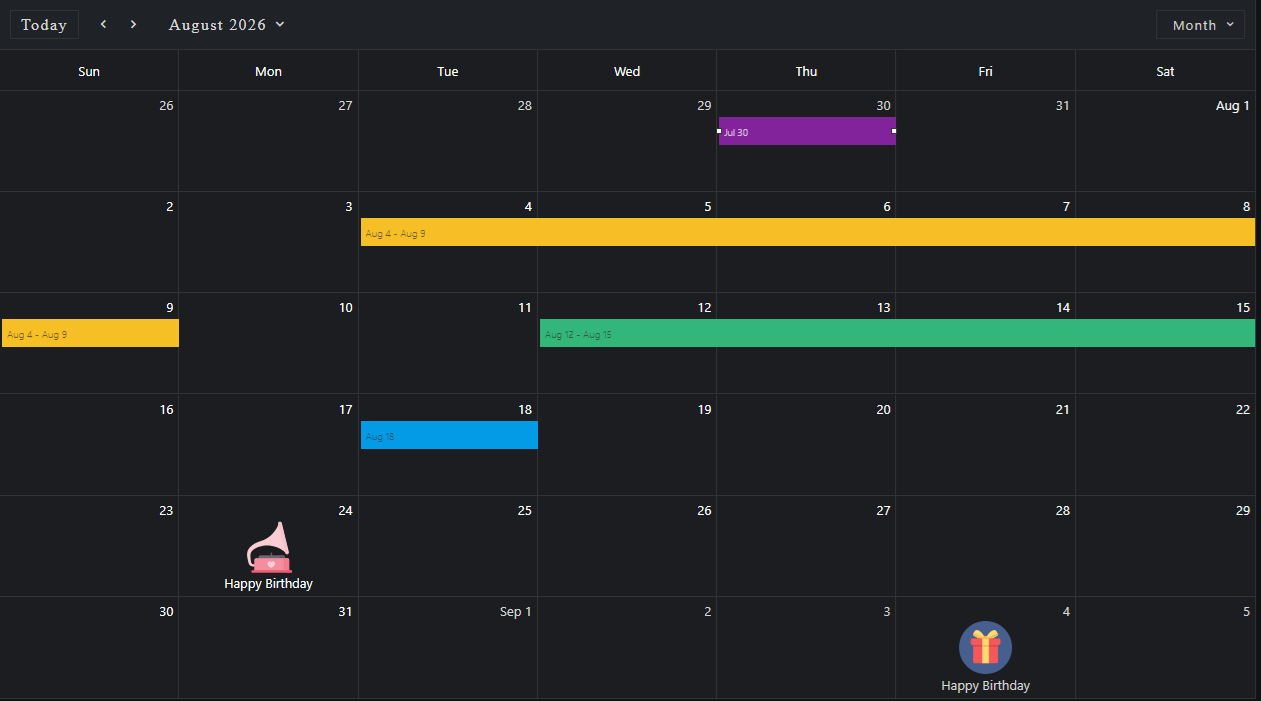
Demo source (Smart UI repo): angular/src/scheduler/view-basic
1 NPM Install
Install the smart-webcomponents-angular package:
npm install smart-webcomponents-angular
2 Register styles
Add the default Smart UI stylesheet to angular.json -> projects -> <your-project> -> architect -> build -> options -> styles (merge with existing entries):
"styles": [
		"node_modules/smart-webcomponents-angular/source/styles/smart.default.css"
	]
Add optional theme CSS from the same package after smart.default.css if you use Bootstrap, Fluent, or other bundled themes.
3 Import the Angular module
Import SchedulerModule from smart-webcomponents-angular/scheduler: use @Component.imports for standalone, or add it to your AppModule (or feature module) imports array for NgModule apps.
import { SchedulerModule } from 'smart-webcomponents-angular/scheduler';
4 Root component (standalone)
Add SchedulerModule to your root standalone component (src/app/app.ts). Snippet from Smart UI demos (paths normalized to app.html / App where applicable):
 import { Component, ViewChild, OnInit, AfterViewInit, ViewEncapsulation } from '@angular/core';
import { SchedulerComponent, SchedulerEvent, SchedulerTimelineDayScale, SchedulerViewType } from 'smart-webcomponents-angular/scheduler';

import { SchedulerModule } from 'smart-webcomponents-angular/scheduler';

@Component({
  selector: 'app-root',
  standalone: true,
  imports: [ SchedulerModule ],
  templateUrl: './app.html',
  styleUrl: './app.css'
})

export class App implements AfterViewInit, OnInit {
    @ViewChild('scheduler', { read: SchedulerComponent, static: false }) scheduler!: SchedulerComponent;

    dataSource: SchedulerEvent[] = (() => {
        const today = new Date(),
            currentYear = today.getFullYear(),
            currentMonth = today.getMonth();

        return [
            {
                label: 'Google AdWords Strategy',
                dateStart: new Date(currentYear, currentMonth, 10, 9, 0),
                dateEnd: new Date(currentYear, currentMonth, 11, 10, 30),
                allDay: true,
                backgroundColor: '#EA80FC'
            }, {
                label: 'New Brochures',
                dateStart: new Date(currentYear, currentMonth, 11, 11, 30),
                dateEnd: new Date(currentYear, currentMonth, 12, 14, 15),
                backgroundColor: '#FF9E80'
            }, {
                label: 'Brochure Design Review',
                dateStart: new Date(currentYear, currentMonth, 12, 13, 15),
                dateEnd: new Date(currentYear, currentMonth, 14, 16, 15),
                backgroundColor: '#039BE5'
            }, {
                label: 'Website Re-Design Plan',
                dateStart: new Date(currentYear, currentMonth, 16, 16, 45),
                dateEnd: new Date(currentYear, currentMonth, 20, 11, 15),
                backgroundColor: '#78909C'
            },
            {
                label: 'Rollout of New Website and Marketing Brochures',
                dateStart: new Date(currentYear, currentMonth, 2, 8, 15),
                dateEnd: new Date(currentYear, currentMonth, 2, 10, 45),
                backgroundColor: '#D500F9'
            }, {
                label: 'Update Sales Strategy Documents',
                dateStart: new Date(currentYear, currentMonth, 2, 12, 0),
                dateEnd: new Date(currentYear, currentMonth, 2, 13, 45),
                backgroundColor: '#689F38'
            }, {
                label: 'Non-Compete Agreements',
                dateStart: new Date(currentYear, currentMonth, 3, 8, 15),
                dateEnd: new Date(currentYear, currentMonth, 3, 9, 0),
                backgroundColor: '#9CCC65'
            }, {
                label: 'Approve Hiring of John Jeffers',
                dateStart: new Date(currentYear, currentMonth, 3, 10, 0),
                dateEnd: new Date(currentYear, currentMonth, 3, 11, 15),
                backgroundColor: '#EF6C00'
            }, {
                label: 'Update NDA Agreement',
                dateStart: new Date(currentYear, currentMonth, 3, 11, 45),
                dateEnd: new Date(currentYear, currentMonth, 3, 13, 45),
                backgroundColor: '#009688'
            }, {
                label: 'Update Employee Files with New NDA',
                dateStart: new Date(currentYear, currentMonth, 3, 14, 0),
                dateEnd: new Date(currentYear, currentMonth, 3, 16, 45),
                backgroundColor: '#FF1744'
            }, {
                label: 'Submit Questions Regarding New NDA',
                dateStart: new Date(currentYear, currentMonth, 6, 8, 0),
                dateEnd: new Date(currentYear, currentMonth, 6, 9, 30),
                backgroundColor: '#689F38'
            }, {
                label: 'Submit Signed NDA',
                dateStart: new Date(currentYear, currentMonth, 6, 12, 45),
                dateEnd: new Date(currentYear, currentMonth, 6, 14, 0),
                backgroundColor: '#76FF03'
            }, {
                label: 'Review Revenue Projections',
                dateStart: new Date(currentYear, currentMonth, 6, 17, 15),
                dateEnd: new Date(currentYear, currentMonth, 6, 18, 0),
                backgroundColor: '#F9A825'
            }, {
                label: 'Comment on Revenue Projections',
                dateStart: new Date(currentYear, currentMonth, 5, 9, 15),
                dateEnd: new Date(currentYear, currentMonth, 5, 11, 15),
                backgroundColor: '#2962FF'
            }, {
                label: 'Provide New Health Insurance Docs',
                dateStart: new Date(currentYear, currentMonth, 5, 12, 45),
                dateEnd: new Date(currentYear, currentMonth, 5, 14, 15),
                backgroundColor: '#FF6E40'
            }, {
                label: 'Review Changes to Health Insurance Coverage',
                dateStart: new Date(currentYear, currentMonth, 5, 14, 15),
                dateEnd: new Date(currentYear, currentMonth, 5, 15, 30),
                backgroundColor: '#F06292'
            }, {
                label: 'Review Training Course for any Ommissions',
                dateStart: new Date(currentYear, currentMonth, 8, 14, 0),
                dateEnd: new Date(currentYear, currentMonth, 9, 12, 0),
                backgroundColor: '#689F38'
            }, {
                label: 'Recall Rebate Form',
                dateStart: new Date(currentYear, currentMonth, 8, 12, 45),
                dateEnd: new Date(currentYear, currentMonth, 8, 13, 15),
                backgroundColor: '#4A148C'
            }, {
                label: 'Create Report on Customer Feedback',
                dateStart: new Date(currentYear, currentMonth, 9, 15, 15),
                dateEnd: new Date(currentYear, currentMonth, 9, 17, 30),
                backgroundColor: '#A1887F'
            }, {
                label: 'Review Customer Feedback Report',
                dateStart: new Date(currentYear, currentMonth, 9, 16, 15),
                dateEnd: new Date(currentYear, currentMonth, 9, 18, 30),
                backgroundColor: '#BA68C8'
            }, {
                label: 'Customer Feedback Report Analysis',
                dateStart: new Date(currentYear, currentMonth, 10, 9, 30),
                dateEnd: new Date(currentYear, currentMonth, 10, 10, 30),
                backgroundColor: '#C51162'
            }, {
                label: 'Prepare Shipping Cost Analysis Report',
                dateStart: new Date(currentYear, currentMonth, 10, 12, 30),
                dateEnd: new Date(currentYear, currentMonth, 10, 13, 30),
                backgroundColor: '#0277BD'
            }, {
                label: 'Provide Feedback on Shippers',
                dateStart: new Date(currentYear, currentMonth, 10, 14, 15),
                dateEnd: new Date(currentYear, currentMonth, 10, 16, 0),
                backgroundColor: '#8E24AA'
            }, {
                label: 'Select Preferred Shipper',
                dateStart: new Date(currentYear, currentMonth, 10, 17, 30),
                dateEnd: new Date(currentYear, currentMonth, 10, 20, 0),
                backgroundColor: '#689F38'
            }, {
                label: 'Complete Shipper Selection Form',
                dateStart: new Date(currentYear, currentMonth, 11, 8, 30),
                dateEnd: new Date(currentYear, currentMonth, 11, 10, 0),
                backgroundColor: '#388E3C'
            }, {
                label: 'Upgrade Server Hardware',
                dateStart: new Date(currentYear, currentMonth, 11, 12, 0),
                dateEnd: new Date(currentYear, currentMonth, 11, 14, 15),
                backgroundColor: '#00C853'
            }, {
                label: 'Upgrade Personal Computers',
                dateStart: new Date(currentYear, currentMonth, 11, 14, 45),
                dateEnd: new Date(currentYear, currentMonth, 11, 16, 30),
                backgroundColor: '#6200EA'
            }, {
                label: 'Upgrade Apps to Windows RT or stay with WinForms',
                dateStart: new Date(currentYear, currentMonth, 12, 10, 30),
                dateEnd: new Date(currentYear, currentMonth, 12, 13, 0),
                backgroundColor: '#66BB6A'
            }, {
                label: 'Estimate Time Required to Touch-Enable Apps',
                dateStart: new Date(currentYear, currentMonth, 12, 14, 45),
                dateEnd: new Date(currentYear, currentMonth, 12, 16, 30),
                backgroundColor: '#795548'
            }, {
                label: 'Report on Tranistion to Touch-Based Apps',
                dateStart: new Date(currentYear, currentMonth, 12, 18, 30),
                dateEnd: new Date(currentYear, currentMonth, 12, 19, 0),
                backgroundColor: '#FBC02D'
            }, {
                label: 'Submit New Website Design',
                dateStart: new Date(currentYear, currentMonth, 15, 8, 0),
                dateEnd: new Date(currentYear, currentMonth, 15, 10, 0),
                backgroundColor: '#26A69A'
            }, {
                label: 'Create Icons for Website',
                dateStart: new Date(currentYear, currentMonth, 15, 11, 30),
                dateEnd: new Date(currentYear, currentMonth, 15, 13, 15),
                backgroundColor: '#4DB6AC'
            }, {
                label: 'Create New Product Pages',
                dateStart: new Date(currentYear, currentMonth, 16, 9, 45),
                dateEnd: new Date(currentYear, currentMonth, 16, 11, 45),
                backgroundColor: '#FDD835'
            }, {
                label: 'Approve Website Launch',
                dateStart: new Date(currentYear, currentMonth, 16, 12, 0),
                dateEnd: new Date(currentYear, currentMonth, 16, 15, 15),
                backgroundColor: '#FF6E40'
            }, {
                label: 'Update Customer Shipping Profiles',
                dateStart: new Date(currentYear, currentMonth, 17, 9, 30),
                dateEnd: new Date(currentYear, currentMonth, 17, 11, 0),
                backgroundColor: '#388E3C'
            }, {
                label: 'Create New Shipping Return Labels',
                dateStart: new Date(currentYear, currentMonth, 17, 12, 45),
                dateEnd: new Date(currentYear, currentMonth, 17, 14, 0),
                backgroundColor: '#3E2723'
            }, {
                label: 'Get Design for Shipping Return Labels',
                dateStart: new Date(currentYear, currentMonth, 17, 15, 0),
                dateEnd: new Date(currentYear, currentMonth, 17, 16, 30),
                backgroundColor: '#AEEA00'
            }, {
                label: 'PSD needed for Shipping Return Labels',
                dateStart: new Date(currentYear, currentMonth, 18, 8, 30),
                dateEnd: new Date(currentYear, currentMonth, 18, 9, 15),
                backgroundColor: '#FF80AB'
            }, {
                label: 'Contact ISP and Discuss Payment Options',
                dateStart: new Date(currentYear, currentMonth, 18, 11, 30),
                dateEnd: new Date(currentYear, currentMonth, 18, 16, 0),
                backgroundColor: '#26C6DA'
            }, {
                label: 'Prepare Year-End Support Summary Report',
                dateStart: new Date(currentYear, currentMonth, 18, 17, 0),
                dateEnd: new Date(currentYear, currentMonth, 18, 20, 0),
                backgroundColor: '#E57373'
            }, {
                label: 'Review New Training Material',
                dateStart: new Date(currentYear, currentMonth, 19, 8, 0),
                dateEnd: new Date(currentYear, currentMonth, 19, 9, 15),
                backgroundColor: '#40C4FF'
            }, {
                label: 'Distribute Training Material to Support Staff',
                dateStart: new Date(currentYear, currentMonth, 19, 12, 45),
                dateEnd: new Date(currentYear, currentMonth, 19, 14, 0),
                backgroundColor: '#6D4C41'
            }, {
                label: 'Training Material Distribution Schedule',
                dateStart: new Date(currentYear, currentMonth, 19, 14, 15),
                dateEnd: new Date(currentYear, currentMonth, 19, 16, 15),
                backgroundColor: '#60BF96'
            }, {
                label: 'Approval on Converting to New HDMI Specification',
                dateStart: new Date(currentYear, currentMonth, 22, 9, 30),
                dateEnd: new Date(currentYear, currentMonth, 22, 10, 15),
                backgroundColor: '#689F38'
            }, {
                label: 'Create New Spike for Automation Server',
                dateStart: new Date(currentYear, currentMonth, 22, 10, 0),
                dateEnd: new Date(currentYear, currentMonth, 22, 12, 30),
                backgroundColor: '#BFA300'
            }, {
                label: 'Code Review - New Automation Server',
                dateStart: new Date(currentYear, currentMonth, 22, 13, 0),
                dateEnd: new Date(currentYear, currentMonth, 22, 15, 0),
                backgroundColor: '#0095FF'
            }, {
                label: 'Confirm Availability for Sales Meeting',
                dateStart: new Date(currentYear, currentMonth, 23, 10, 15),
                dateEnd: new Date(currentYear, currentMonth, 23, 15, 15),
                backgroundColor: '#B6B6B6'
            }, {
                label: 'Reschedule Sales Team Meeting',
                dateStart: new Date(currentYear, currentMonth, 23, 16, 15),
                dateEnd: new Date(currentYear, currentMonth, 23, 18, 0),
                backgroundColor: '#800037'
            }, {
                label: 'Send 2 Remotes for Giveaways',
                dateStart: new Date(currentYear, currentMonth, 24, 9, 30),
                dateEnd: new Date(currentYear, currentMonth, 24, 11, 45),
                backgroundColor: '#BF6060'
            }, {
                label: 'Discuss Product Giveaways with Management',
                dateStart: new Date(currentYear, currentMonth, 24, 12, 15),
                dateEnd: new Date(currentYear, currentMonth, 24, 16, 45),
                backgroundColor: '#BF60B2'
            }, {
                label: 'Replace Desktops on the 3rd Floor',
                dateStart: new Date(currentYear, currentMonth, 25, 9, 30),
                dateEnd: new Date(currentYear, currentMonth, 25, 10, 45),
                backgroundColor: '#BFB160'
            }, {
                label: 'Update Database with New Leads',
                dateStart: new Date(currentYear, currentMonth, 25, 12, 0),
                dateEnd: new Date(currentYear, currentMonth, 25, 14, 15),
                backgroundColor: '#BF0000'
            }, {
                label: 'Mail New Leads for Follow Up',
                dateStart: new Date(currentYear, currentMonth, 25, 14, 45),
                dateEnd: new Date(currentYear, currentMonth, 25, 15, 30),
                backgroundColor: '#7B60BF'
            }, {
                label: 'Send Territory Sales Breakdown',
                dateStart: new Date(currentYear, currentMonth, 25, 18, 0),
                dateEnd: new Date(currentYear, currentMonth, 25, 20, 0),
                backgroundColor: '#39BF00'
            }, {
                label: 'Territory Sales Breakdown Report',
                dateStart: new Date(currentYear, currentMonth, 26, 8, 45),
                dateEnd: new Date(currentYear, currentMonth, 26, 9, 45),
                backgroundColor: '#403600'
            }, {
                label: 'Report on the State of Engineering Dept',
                dateStart: new Date(currentYear, currentMonth, 26, 14, 45),
                dateEnd: new Date(currentYear, currentMonth, 26, 15, 30),
                backgroundColor: '#3D8020'
            }, {
                label: 'Staff Productivity Report',
                dateStart: new Date(currentYear, currentMonth, 26, 16, 15),
                dateEnd: new Date(currentYear, currentMonth, 26, 19, 30),
                backgroundColor: '#BF60B2'
            }
        ];
    })();

    view: SchedulerViewType = 'day';

    views: string[] = ['day', 'week', 'month'];

    hourStart: number = 9;

    timelineDayScale: SchedulerTimelineDayScale = 'halfHour';

    ngOnInit(): void {
        // onInit code.
    }

    ngAfterViewInit(): void {
        // afterViewInit code.
        this.init();
    }

    init(): void {
        // init code.
    }
}
Boot the app with bootstrapApplication from src/main.ts and an ApplicationConfig in src/app/app.config.ts as generated by the CLI.
5 Template (standalone)
Use your markup in src/app/app.html (or inline template). Bind properties and events on smart-scheduler as needed:
 <smart-scheduler #scheduler id="scheduler" [dataSource]="dataSource" [view]="view" [views]="views"
    [hourStart]="hourStart" [timelineDayScale]="timelineDayScale"></smart-scheduler>
6 NgModule bootstrap (also supported)
Same npm package and angular.json styles as steps 1-2. Put SchedulerModule on your NgModule.imports instead of @Component.imports, and bootstrap with bootstrapModule(AppModule).
The demo sources bundled for this widget use standalone only (there is no app.module.ts in that folder). NgModule is fully supported: put SchedulerModule from smart-webcomponents-angular/scheduler on NgModule.imports, make your root component non-standalone (remove standalone: true and move widget modules from @Component.imports to the module), and bootstrap with platformBrowserDynamic().bootstrapModule(AppModule).
Minimal main.ts + app.module.ts pairing (adjust paths to match your CLI layout):
src/main.ts
import { platformBrowserDynamic } from '@angular/platform-browser-dynamic';
import { AppModule } from './app/app.module';

platformBrowserDynamic().bootstrapModule(AppModule).catch((err) => console.error(err));
src/app/app.module.ts
import { NgModule } from '@angular/core';
import { BrowserModule } from '@angular/platform-browser';
import { AppComponent } from './app.component';
import { SchedulerModule } from 'smart-webcomponents-angular/scheduler';

@NgModule({
	declarations: [ AppComponent ],
	imports: [ BrowserModule, SchedulerModule ],
	bootstrap: [ AppComponent ]
})
export class AppModule { }
Reuse the template and class logic from steps 4-5 in AppComponent, configured for declarations + NgModule.imports instead of a standalone @Component.
Run
ng serve or npm start - then open http://localhost:4200/.
Smart UI for Angular - full documentation
Common Use Cases
-
Add a new event
Programmatically create a calendar event
scheduler.addEvent({ label: 'Meeting', dateStart: new Date(2026, 4, 15, 10, 0), dateEnd: new Date(2026, 4, 15, 11, 0) }); -
Change view mode
Switch between day, week, and month views
scheduler.view = 'month';
-
Handle event click
Respond when user clicks on an event
scheduler.addEventListener('itemClick', (e) => {
  console.log('Event clicked:', e.detail.item);
});
Troubleshooting
- How do I load events from an API?
- Fetch your data and assign it to scheduler.dataSource. Each event needs dateStart, dateEnd, and label properties at minimum.
- How do I prevent event editing?
- Set scheduler.disableEdit = true to prevent users from modifying events.
- How do I change the first day of the week?
- Set scheduler.firstDayOfWeek to the desired day (0 = Sunday, 1 = Monday, etc.).
Accessibility
The Scheduler component follows WAI-ARIA best practices:
- Keyboard navigation - Tab, Arrow keys, Enter, and Escape are supported
- ARIA roles - Appropriate roles and labels are applied automatically
- Focus management - Visible focus indicators for keyboard users
- Screen readers - State changes are announced to assistive technology
- High contrast - Supports Windows High Contrast Mode and forced colors
For custom labeling, set aria-label or aria-labelledby attributes on the component.
Supported stacks: Smart UI targets Angular 17+, React 18+, Vue 3+, Node 18 LTS, and evergreen browsers; pin exact package versions to your org policy.