



Getting Started with Vue Scheduler Component
Smart UI Vue examples target Vue 3 and Vite; enable TypeScript in create-vue when you want typed SFCs.
Demo source (Smart UI repo): vue/vue-3/src/scheduler/view-basic/App.vue
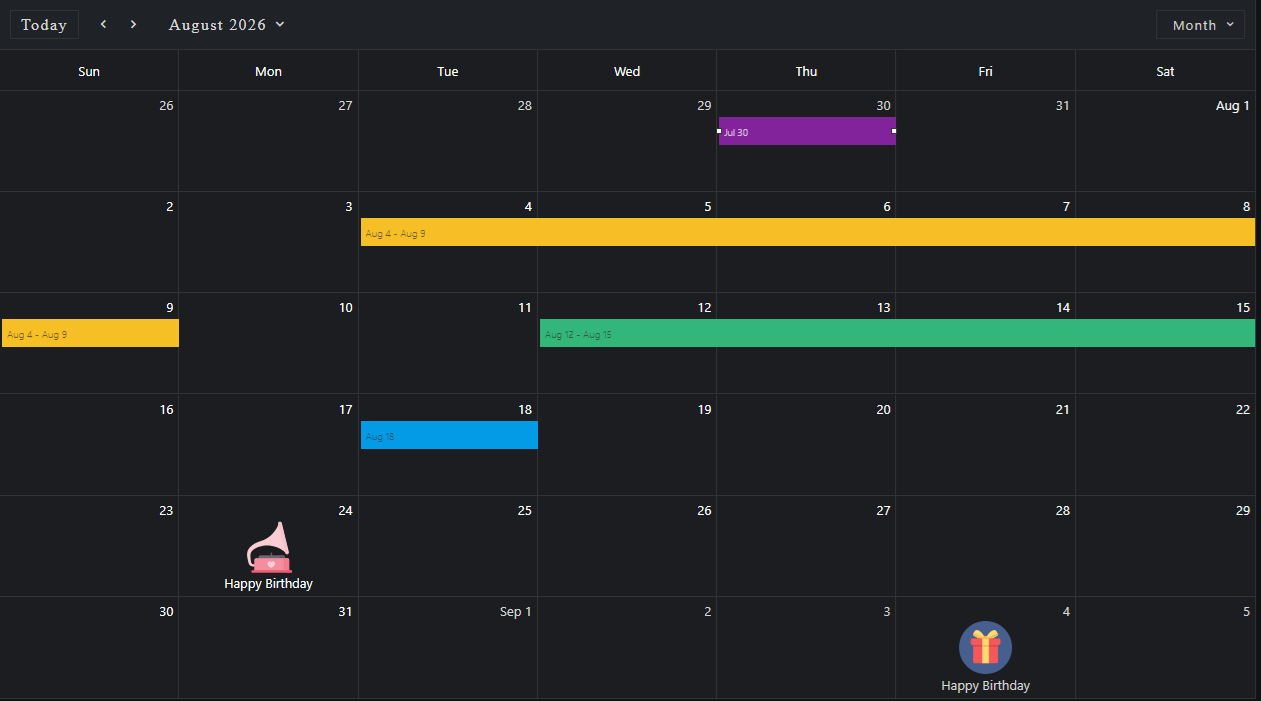
Scaffold with Vite (Vue 3)
Run the official scaffolding tool:
npm create vue@latest
You will be prompted for TypeScript, Router, Pinia, and other options. When unsure, accept defaults and enable features later.
cd <your-project-name>
npm install
npm install smart-webcomponents
npm run dev
Vue + TypeScript
If you enabled TypeScript, use vite.config.ts with the same isCustomElement configuration as below so the compiler treats Smart UI tags as native custom elements.
Teach Vue about custom elements
Without this, Vue warns about unknown custom elements. Open vite.config.js or vite.config.ts and configure the Vue plugin so smart-* and legacy jqx-* tags are passed through to the DOM:
import { fileURLToPath, URL } from 'node:url'

import { defineConfig } from 'vite'
import vue from '@vitejs/plugin-vue'

export default defineConfig({
  plugins: [
    vue({
      template: {
        compilerOptions: {
          isCustomElement: tag => tag.startsWith('smart-') || tag.startsWith('jqx-')
        }
      }
    })
  ],
  resolve: {
    alias: {
      '@': fileURLToPath(new URL('./src', import.meta.url))
    }
  }
})
App.vue example
Example from Smart UI Vue 3 demos for this widget:
<template>
  <div class="vue-root">
    <smart-scheduler id="scheduler"></smart-scheduler>
  </div>
</template>

<script>
import { onMounted } from "vue";
import "smart-webcomponents/source/styles/smart.default.css";
import "smart-webcomponents/source/modules/smart.scheduler.js";
import * as pkg from 'smart-webcomponents/common/rrule.min.js';
window.rrule = { RRule:  pkg.default };
export default {
  name: "app",
  setup() {
    onMounted(() => {
      const today = new Date(),
        currentYear = today.getFullYear(),
        currentMonth = today.getMonth(),
        data = [
          {
            label: "Google AdWords Strategy",
            dateStart: new Date(currentYear, currentMonth, 10, 9, 0),
            dateEnd: new Date(currentYear, currentMonth, 11, 10, 30),
            allDay: true,
            backgroundColor: "#EA80FC",
          },
          {
            label: "New Brochures",
            dateStart: new Date(currentYear, currentMonth, 11, 11, 30),
            dateEnd: new Date(currentYear, currentMonth, 12, 14, 15),
            backgroundColor: "#FF9E80",
          },
          {
            label: "Brochure Design Review",
            dateStart: new Date(currentYear, currentMonth, 12, 13, 15),
            dateEnd: new Date(currentYear, currentMonth, 14, 16, 15),
            backgroundColor: "#039BE5",
          },
          {
            label: "Website Re-Design Plan",
            dateStart: new Date(currentYear, currentMonth, 16, 16, 45),
            dateEnd: new Date(currentYear, currentMonth, 20, 11, 15),
            backgroundColor: "#78909C",
          },
          {
            label: "Rollout of New Website and Marketing Brochures",
            dateStart: new Date(currentYear, currentMonth, 2, 8, 15),
            dateEnd: new Date(currentYear, currentMonth, 2, 10, 45),
            backgroundColor: "#D500F9",
          },
          {
            label: "Update Sales Strategy Documents",
            dateStart: new Date(currentYear, currentMonth, 2, 12, 0),
            dateEnd: new Date(currentYear, currentMonth, 2, 13, 45),
            backgroundColor: "#689F38",
          },
          {
            label: "Non-Compete Agreements",
            dateStart: new Date(currentYear, currentMonth, 3, 8, 15),
            dateEnd: new Date(currentYear, currentMonth, 3, 9, 0),
            backgroundColor: "#9CCC65",
          },
          {
            label: "Approve Hiring of John Jeffers",
            dateStart: new Date(currentYear, currentMonth, 3, 10, 0),
            dateEnd: new Date(currentYear, currentMonth, 3, 11, 15),
            backgroundColor: "#EF6C00",
          },
          {
            label: "Update NDA Agreement",
            dateStart: new Date(currentYear, currentMonth, 3, 11, 45),
            dateEnd: new Date(currentYear, currentMonth, 3, 13, 45),
            backgroundColor: "#009688",
          },
          {
            label: "Update Employee Files with New NDA",
            dateStart: new Date(currentYear, currentMonth, 3, 14, 0),
            dateEnd: new Date(currentYear, currentMonth, 3, 16, 45),
            backgroundColor: "#FF1744",
          },
          {
            label: "Submit Questions Regarding New NDA",
            dateStart: new Date(currentYear, currentMonth, 6, 8, 0),
            dateEnd: new Date(currentYear, currentMonth, 6, 9, 30),
            backgroundColor: "#689F38",
          },
          {
            label: "Submit Signed NDA",
            dateStart: new Date(currentYear, currentMonth, 6, 12, 45),
            dateEnd: new Date(currentYear, currentMonth, 6, 14, 0),
            backgroundColor: "#76FF03",
          },
          {
            label: "Review Revenue Projections",
            dateStart: new Date(currentYear, currentMonth, 6, 17, 15),
            dateEnd: new Date(currentYear, currentMonth, 6, 18, 0),
            backgroundColor: "#F9A825",
          },
          {
            label: "Comment on Revenue Projections",
            dateStart: new Date(currentYear, currentMonth, 5, 9, 15),
            dateEnd: new Date(currentYear, currentMonth, 5, 11, 15),
            backgroundColor: "#2962FF",
          },
          {
            label: "Provide New Health Insurance Docs",
            dateStart: new Date(currentYear, currentMonth, 5, 12, 45),
            dateEnd: new Date(currentYear, currentMonth, 5, 14, 15),
            backgroundColor: "#FF6E40",
          },
          {
            label: "Review Changes to Health Insurance Coverage",
            dateStart: new Date(currentYear, currentMonth, 5, 14, 15),
            dateEnd: new Date(currentYear, currentMonth, 5, 15, 30),
            backgroundColor: "#F06292",
          },
          {
            label: "Review Training Course for any Ommissions",
            dateStart: new Date(currentYear, currentMonth, 8, 14, 0),
            dateEnd: new Date(currentYear, currentMonth, 9, 12, 0),
            backgroundColor: "#689F38",
          },
          {
            label: "Recall Rebate Form",
            dateStart: new Date(currentYear, currentMonth, 8, 12, 45),
            dateEnd: new Date(currentYear, currentMonth, 8, 13, 15),
            backgroundColor: "#4A148C",
          },
          {
            label: "Create Report on Customer Feedback",
            dateStart: new Date(currentYear, currentMonth, 9, 15, 15),
            dateEnd: new Date(currentYear, currentMonth, 9, 17, 30),
            backgroundColor: "#A1887F",
          },
          {
            label: "Review Customer Feedback Report",
            dateStart: new Date(currentYear, currentMonth, 9, 16, 15),
            dateEnd: new Date(currentYear, currentMonth, 9, 18, 30),
            backgroundColor: "#BA68C8",
          },
          {
            label: "Customer Feedback Report Analysis",
            dateStart: new Date(currentYear, currentMonth, 10, 9, 30),
            dateEnd: new Date(currentYear, currentMonth, 10, 10, 30),
            backgroundColor: "#C51162",
          },
          {
            label: "Prepare Shipping Cost Analysis Report",
            dateStart: new Date(currentYear, currentMonth, 10, 12, 30),
            dateEnd: new Date(currentYear, currentMonth, 10, 13, 30),
            backgroundColor: "#0277BD",
          },
          {
            label: "Provide Feedback on Shippers",
            dateStart: new Date(currentYear, currentMonth, 10, 14, 15),
            dateEnd: new Date(currentYear, currentMonth, 10, 16, 0),
            backgroundColor: "#8E24AA",
          },
          {
            label: "Select Preferred Shipper",
            dateStart: new Date(currentYear, currentMonth, 10, 17, 30),
            dateEnd: new Date(currentYear, currentMonth, 10, 20, 0),
            backgroundColor: "#689F38",
          },
          {
            label: "Complete Shipper Selection Form",
            dateStart: new Date(currentYear, currentMonth, 11, 8, 30),
            dateEnd: new Date(currentYear, currentMonth, 11, 10, 0),
            backgroundColor: "#388E3C",
          },
          {
            label: "Upgrade Server Hardware",
            dateStart: new Date(currentYear, currentMonth, 11, 12, 0),
            dateEnd: new Date(currentYear, currentMonth, 11, 14, 15),
            backgroundColor: "#00C853",
          },
          {
            label: "Upgrade Personal Computers",
            dateStart: new Date(currentYear, currentMonth, 11, 14, 45),
            dateEnd: new Date(currentYear, currentMonth, 11, 16, 30),
            backgroundColor: "#6200EA",
          },
          {
            label: "Upgrade Apps to Windows RT or stay with WinForms",
            dateStart: new Date(currentYear, currentMonth, 12, 10, 30),
            dateEnd: new Date(currentYear, currentMonth, 12, 13, 0),
            backgroundColor: "#66BB6A",
          },
          {
            label: "Estimate Time Required to Touch-Enable Apps",
            dateStart: new Date(currentYear, currentMonth, 12, 14, 45),
            dateEnd: new Date(currentYear, currentMonth, 12, 16, 30),
            backgroundColor: "#795548",
          },
          {
            label: "Report on Tranistion to Touch-Based Apps",
            dateStart: new Date(currentYear, currentMonth, 12, 18, 30),
            dateEnd: new Date(currentYear, currentMonth, 12, 19, 0),
            backgroundColor: "#FBC02D",
          },
          {
            label: "Submit New Website Design",
            dateStart: new Date(currentYear, currentMonth, 15, 8, 0),
            dateEnd: new Date(currentYear, currentMonth, 15, 10, 0),
            backgroundColor: "#26A69A",
          },
          {
            label: "Create Icons for Website",
            dateStart: new Date(currentYear, currentMonth, 15, 11, 30),
            dateEnd: new Date(currentYear, currentMonth, 15, 13, 15),
            backgroundColor: "#4DB6AC",
          },
          {
            label: "Create New Product Pages",
            dateStart: new Date(currentYear, currentMonth, 16, 9, 45),
            dateEnd: new Date(currentYear, currentMonth, 16, 11, 45),
            backgroundColor: "#FDD835",
          },
          {
            label: "Approve Website Launch",
            dateStart: new Date(currentYear, currentMonth, 16, 12, 0),
            dateEnd: new Date(currentYear, currentMonth, 16, 15, 15),
            backgroundColor: "#FF6E40",
          },
          {
            label: "Update Customer Shipping Profiles",
            dateStart: new Date(currentYear, currentMonth, 17, 9, 30),
            dateEnd: new Date(currentYear, currentMonth, 17, 11, 0),
            backgroundColor: "#388E3C",
          },
          {
            label: "Create New Shipping Return Labels",
            dateStart: new Date(currentYear, currentMonth, 17, 12, 45),
            dateEnd: new Date(currentYear, currentMonth, 17, 14, 0),
            backgroundColor: "#3E2723",
          },
          {
            label: "Get Design for Shipping Return Labels",
            dateStart: new Date(currentYear, currentMonth, 17, 15, 0),
            dateEnd: new Date(currentYear, currentMonth, 17, 16, 30),
            backgroundColor: "#AEEA00",
          },
          {
            label: "PSD needed for Shipping Return Labels",
            dateStart: new Date(currentYear, currentMonth, 18, 8, 30),
            dateEnd: new Date(currentYear, currentMonth, 18, 9, 15),
            backgroundColor: "#FF80AB",
          },
          {
            label: "Contact ISP and Discuss Payment Options",
            dateStart: new Date(currentYear, currentMonth, 18, 11, 30),
            dateEnd: new Date(currentYear, currentMonth, 18, 16, 0),
            backgroundColor: "#26C6DA",
          },
          {
            label: "Prepare Year-End Support Summary Report",
            dateStart: new Date(currentYear, currentMonth, 18, 17, 0),
            dateEnd: new Date(currentYear, currentMonth, 18, 20, 0),
            backgroundColor: "#E57373",
          },
          {
            label: "Review New Training Material",
            dateStart: new Date(currentYear, currentMonth, 19, 8, 0),
            dateEnd: new Date(currentYear, currentMonth, 19, 9, 15),
            backgroundColor: "#40C4FF",
          },
          {
            label: "Distribute Training Material to Support Staff",
            dateStart: new Date(currentYear, currentMonth, 19, 12, 45),
            dateEnd: new Date(currentYear, currentMonth, 19, 14, 0),
            backgroundColor: "#6D4C41",
          },
          {
            label: "Training Material Distribution Schedule",
            dateStart: new Date(currentYear, currentMonth, 19, 14, 15),
            dateEnd: new Date(currentYear, currentMonth, 19, 16, 15),
            backgroundColor: "#60BF96",
          },
          {
            label: "Approval on Converting to New HDMI Specification",
            dateStart: new Date(currentYear, currentMonth, 22, 9, 30),
            dateEnd: new Date(currentYear, currentMonth, 22, 10, 15),
            backgroundColor: "#689F38",
          },
          {
            label: "Create New Spike for Automation Server",
            dateStart: new Date(currentYear, currentMonth, 22, 10, 0),
            dateEnd: new Date(currentYear, currentMonth, 22, 12, 30),
            backgroundColor: "#BFA300",
          },
          {
            label: "Code Review - New Automation Server",
            dateStart: new Date(currentYear, currentMonth, 22, 13, 0),
            dateEnd: new Date(currentYear, currentMonth, 22, 15, 0),
            backgroundColor: "#0095FF",
          },
          {
            label: "Confirm Availability for Sales Meeting",
            dateStart: new Date(currentYear, currentMonth, 23, 10, 15),
            dateEnd: new Date(currentYear, currentMonth, 23, 15, 15),
            backgroundColor: "#B6B6B6",
          },
          {
            label: "Reschedule Sales Team Meeting",
            dateStart: new Date(currentYear, currentMonth, 23, 16, 15),
            dateEnd: new Date(currentYear, currentMonth, 23, 18, 0),
            backgroundColor: "#800037",
          },
          {
            label: "Send 2 Remotes for Giveaways",
            dateStart: new Date(currentYear, currentMonth, 24, 9, 30),
            dateEnd: new Date(currentYear, currentMonth, 24, 11, 45),
            backgroundColor: "#BF6060",
          },
          {
            label: "Discuss Product Giveaways with Management",
            dateStart: new Date(currentYear, currentMonth, 24, 12, 15),
            dateEnd: new Date(currentYear, currentMonth, 24, 16, 45),
            backgroundColor: "#BF60B2",
          },
          {
            label: "Replace Desktops on the 3rd Floor",
            dateStart: new Date(currentYear, currentMonth, 25, 9, 30),
            dateEnd: new Date(currentYear, currentMonth, 25, 10, 45),
            backgroundColor: "#BFB160",
          },
          {
            label: "Update Database with New Leads",
            dateStart: new Date(currentYear, currentMonth, 25, 12, 0),
            dateEnd: new Date(currentYear, currentMonth, 25, 14, 15),
            backgroundColor: "#BF0000",
          },
          {
            label: "Mail New Leads for Follow Up",
            dateStart: new Date(currentYear, currentMonth, 25, 14, 45),
            dateEnd: new Date(currentYear, currentMonth, 25, 15, 30),
            backgroundColor: "#7B60BF",
          },
          {
            label: "Send Territory Sales Breakdown",
            dateStart: new Date(currentYear, currentMonth, 25, 18, 0),
            dateEnd: new Date(currentYear, currentMonth, 25, 20, 0),
            backgroundColor: "#39BF00",
          },
          {
            label: "Territory Sales Breakdown Report",
            dateStart: new Date(currentYear, currentMonth, 26, 8, 45),
            dateEnd: new Date(currentYear, currentMonth, 26, 9, 45),
            backgroundColor: "#403600",
          },
          {
            label: "Report on the State of Engineering Dept",
            dateStart: new Date(currentYear, currentMonth, 26, 14, 45),
            dateEnd: new Date(currentYear, currentMonth, 26, 15, 30),
            backgroundColor: "#3D8020",
          },
          {
            label: "Staff Productivity Report",
            dateStart: new Date(currentYear, currentMonth, 26, 16, 15),
            dateEnd: new Date(currentYear, currentMonth, 26, 19, 30),
            backgroundColor: "#BF60B2",
          },
        ];
      window.Smart(
        "#scheduler",
        class {
          get properties() {
            return {
              //Properties
              view: "day",
              dateCurrent: new Date(),
              dataSource: data,
              views: ["day", "week", "month"],
              hourStart: 9,
              timelineDayScale: "halfHour",
            };
          }
        }
      );
    });
  },
};
</script>

<style>
html,
body {
  width: 100%;
  height: 100%;
  margin: 0 auto;
}

.smart-scheduler {
  width: 100%;
  height: 100%;
  --smart-scheduler-view-item-size: 100px;
}

#app,
.vue-root {
  height: 100%;
}
</style>
You can now use smart-scheduler in templates; bindings and events follow Vue's normal syntax.
Run and build
Development server:
npm run dev
Then open http://localhost:5173/.
Production build:
npm run build
Output goes to ./dist.
Read more about using Smart UI for Vue.
Common Use Cases
-
Add a new event
Programmatically create a calendar event
scheduler.addEvent({ label: 'Meeting', dateStart: new Date(2026, 4, 15, 10, 0), dateEnd: new Date(2026, 4, 15, 11, 0) }); -
Change view mode
Switch between day, week, and month views
scheduler.view = 'month';
-
Handle event click
Respond when user clicks on an event
scheduler.addEventListener('itemClick', (e) => {
  console.log('Event clicked:', e.detail.item);
});
Troubleshooting
- How do I load events from an API?
- Fetch your data and assign it to scheduler.dataSource. Each event needs dateStart, dateEnd, and label properties at minimum.
- How do I prevent event editing?
- Set scheduler.disableEdit = true to prevent users from modifying events.
- How do I change the first day of the week?
- Set scheduler.firstDayOfWeek to the desired day (0 = Sunday, 1 = Monday, etc.).
Accessibility
The Scheduler component follows WAI-ARIA best practices:
- Keyboard navigation - Tab, Arrow keys, Enter, and Escape are supported
- ARIA roles - Appropriate roles and labels are applied automatically
- Focus management - Visible focus indicators for keyboard users
- Screen readers - State changes are announced to assistive technology
- High contrast - Supports Windows High Contrast Mode and forced colors
For custom labeling, set aria-label or aria-labelledby attributes on the component.
Supported stacks: Smart UI targets Angular 17+, React 18+, Vue 3+, Node 18 LTS, and evergreen browsers; pin exact package versions to your org policy.